Trace AI agent requests from prompt to pod
Follow each request your AI agents make, through every model call and tool call, all the way to the backend services behind them. When an agent fails, you'll see exactly where it broke.

Easy instrumentation
Works with OpenLLMetry and the OpenTelemetry GenAI semantic conventions

Optimize token utilization
Input and output tokens for every step, rolled up by request, agent and model

Improve accuracy
See which tool your agent picked and what data it used for every answer
Seamless integration,
immediate insights
Every request your agents handle in production is recorded from start to finish. That covers the model calls and tool calls, plus the API, database and queue calls those tools made further down. It all lands in one trace, so you don't have to jump between tools to find the cause.
When to use AI Observability
Traditional observability tells you when software fails, while AI Observability shows what an agent actually did, even when it looks like it succeeded. We use it on the agents we build ourselves to catch issues that would otherwise stay invisible.

Use it to find Hidden agent failures
Your agent can return a clean, confident answer after its tool calls failed or pulled from the wrong account. The trace shows every failed call, retry and data source behind that answer.

Use it to find Runaway AI costs
A billing report tells you how much an agent spent. Per-step token counts point to the loop of repeated calls that ran up the cost.
Breaking down your AI requests
Which requests failed in the last hour?
Which agent is slowest on model X?
Each run shows the time, status, duration, agent, model, total tokens and number of steps.
- Filter by agent, model, provider, status, thread or any span attribute
- Smart search and tags
- Alerts on error count, latency or token spikes
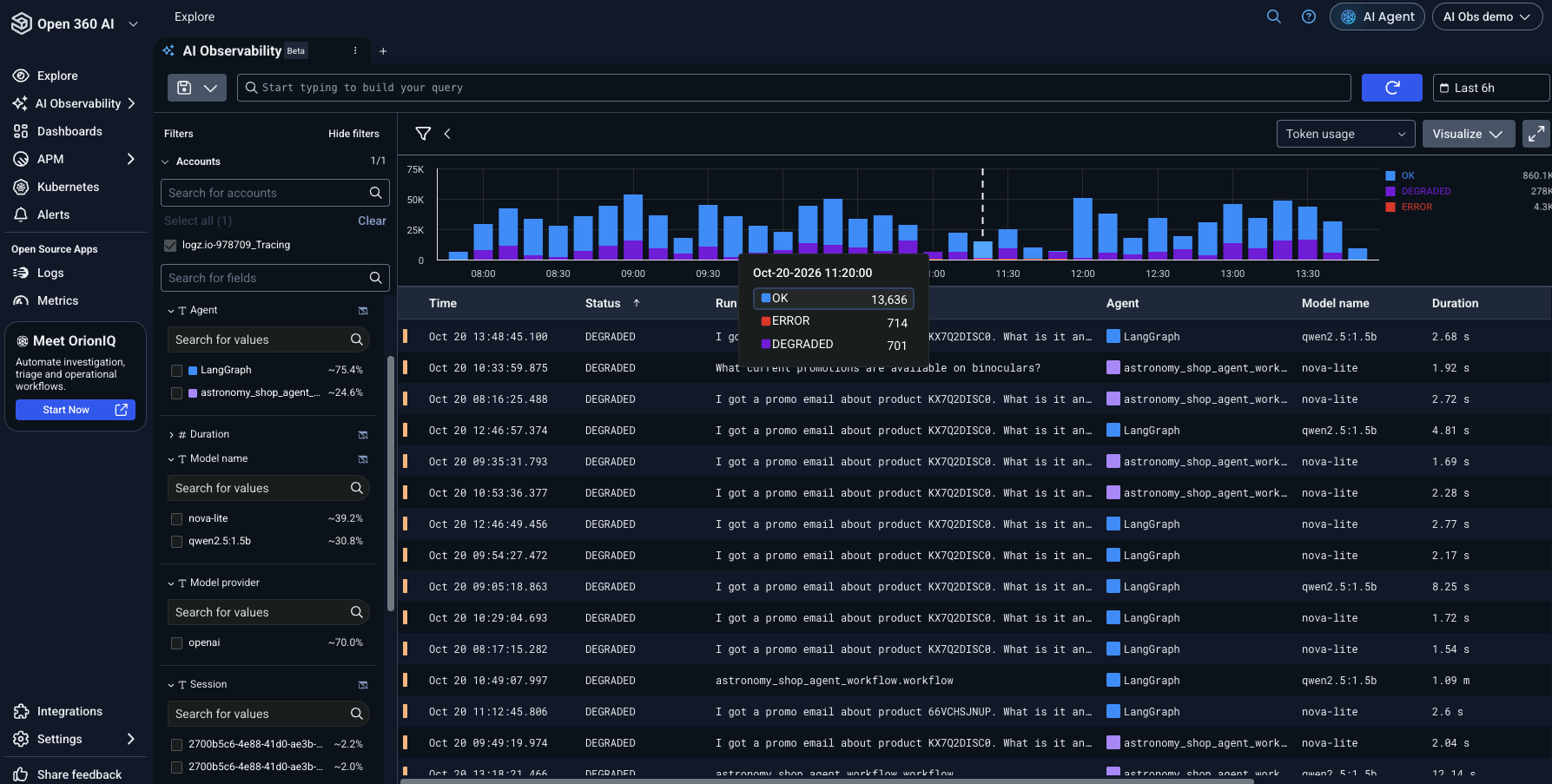
Following every agent step
Why did the agent give this answer? Which tool did it call, and what data came back?
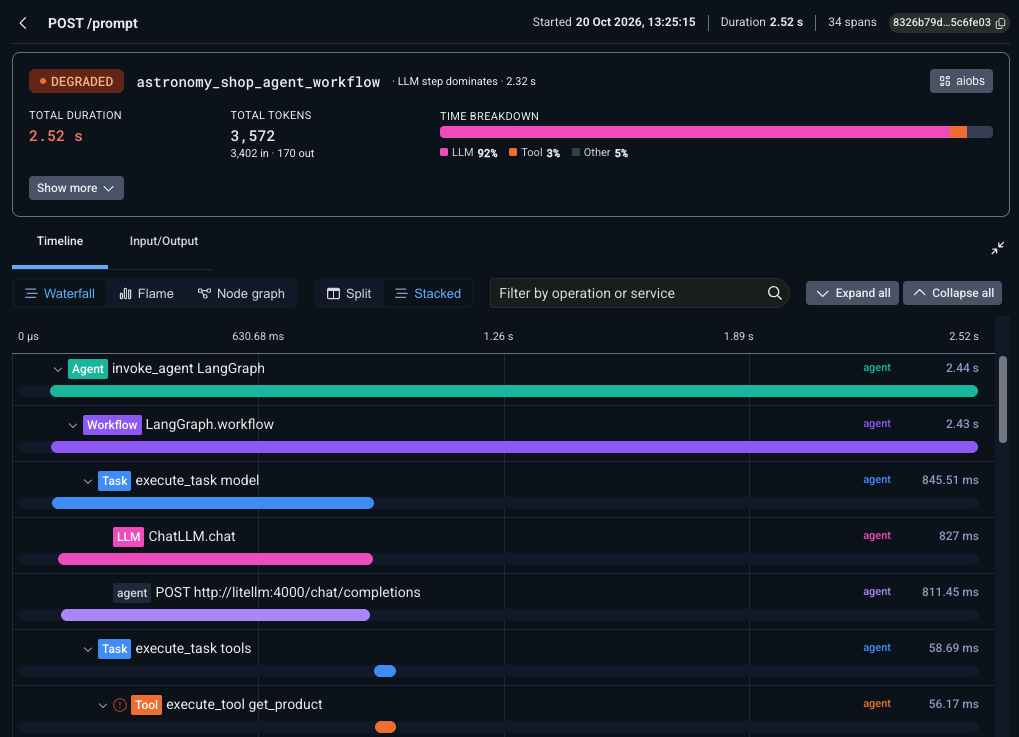
The detail view shows one timeline, color-coded by step type, where you can see:
The prompt and response, broken out by role
The tool name, the arguments it received and the result it returned
Model, input and output tokens, and duration for that step
The HTTP and database calls each tool made
You can export the full conversation to Markdown for a ticket or a Slack thread.
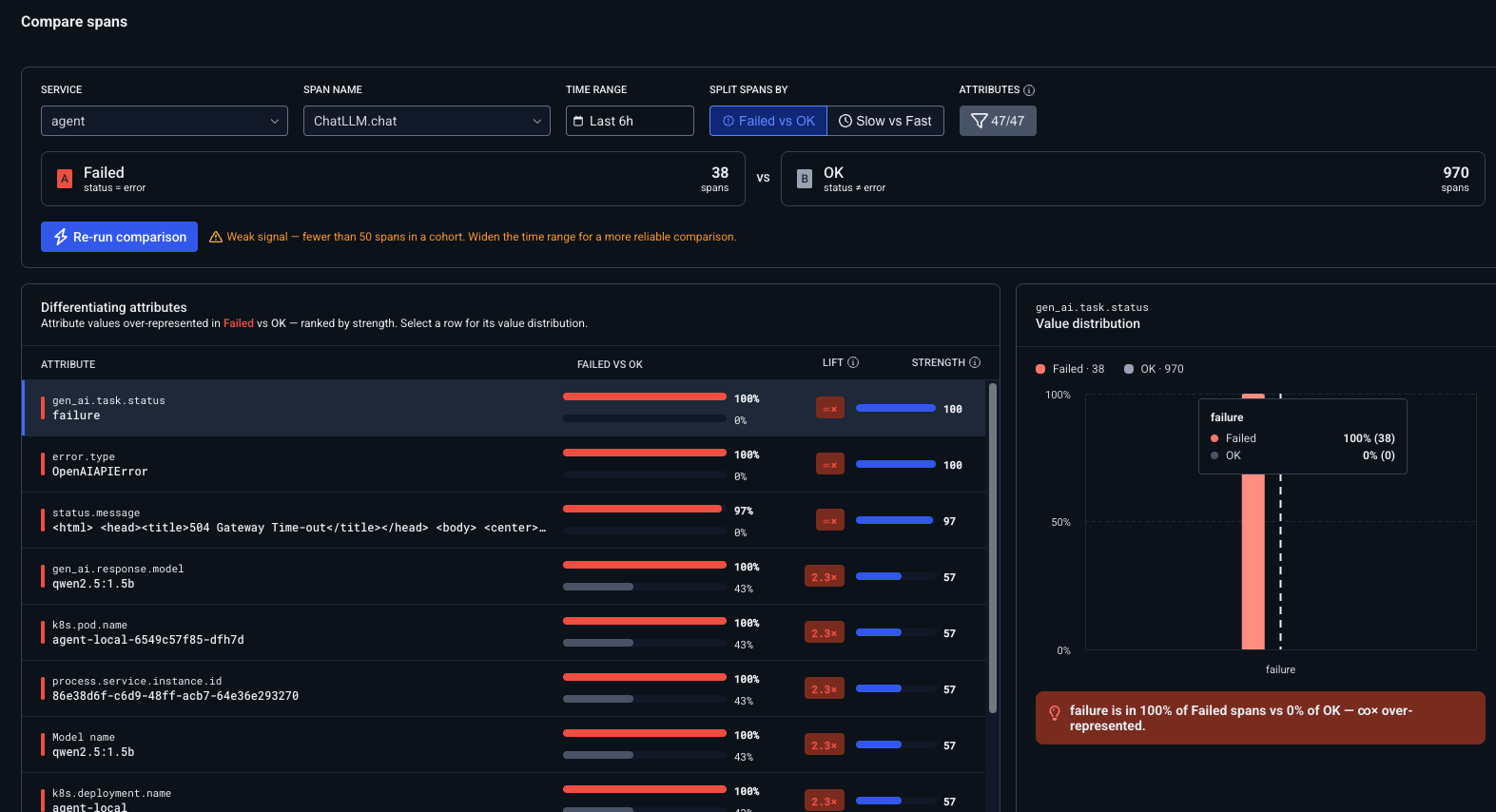
What do bad requests have in common?
Pick a group of problem requests (failed, slow or token-heavy) and compare them with a baseline of normal ones. It ranks the attributes that show up much more often in the problem group, such as a model version, a tool, a region, a prompt version or a tenant.
Tokens are counted for every step and rolled up by request, agent and model. A spike leads you to a specific step instead of a surprise on the monthly invoice.
- Input and output tokens per step
- Total per request, sortable in the list
- Overview dashboard (beta): volume, errors, latency and tokens by agent and model
Which step burned
your tokens?
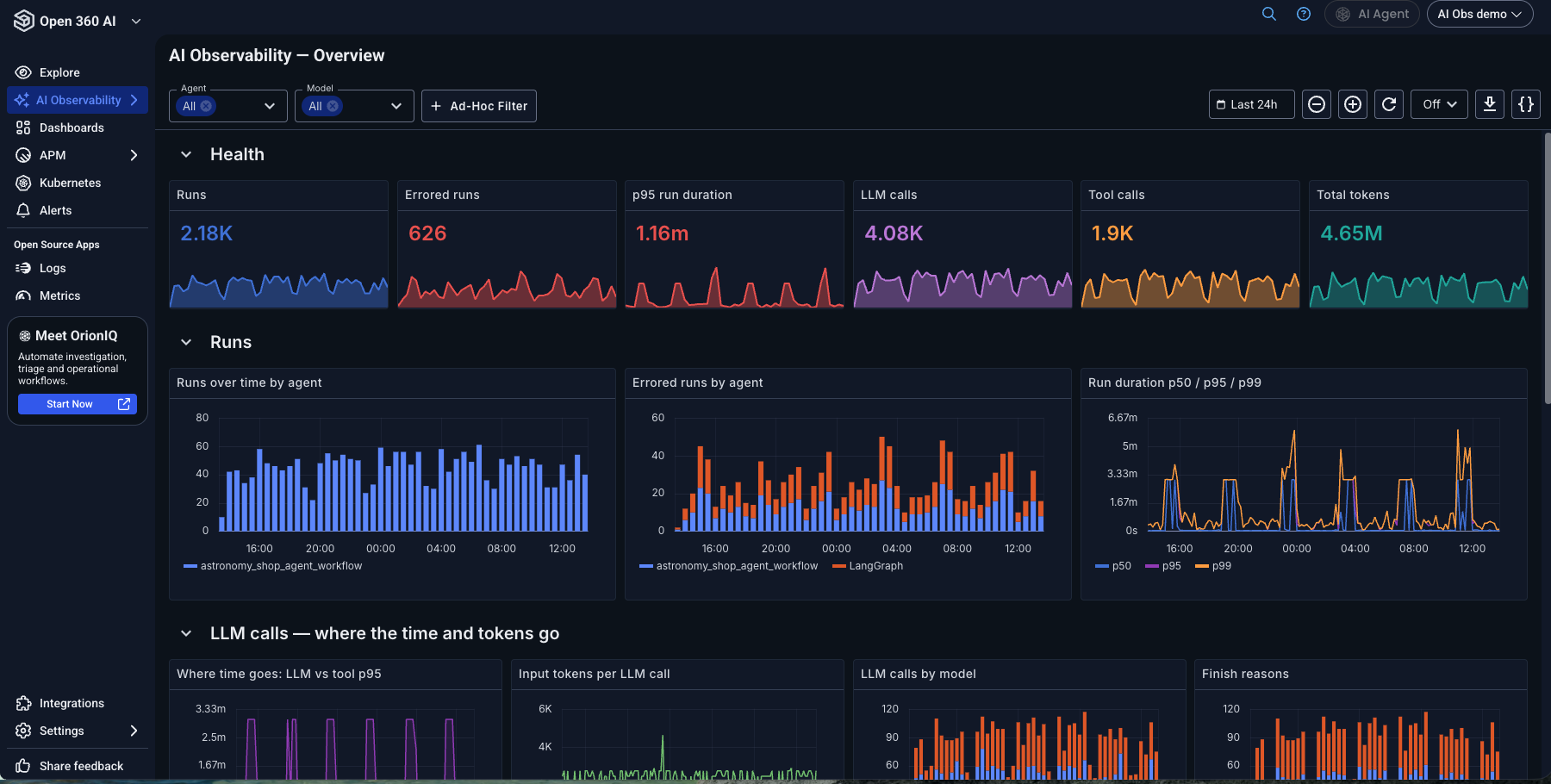
Set up in three steps
You don't need a new SDK or a second pipeline. If your app already sends OpenLLMetry spans, you only change one endpoint.
Instrument
Add OpenLLMetry (Python or TypeScript) or any OpenTelemetry GenAI instrumentation.
Connect to Logz.io
Use the same exporter config you already use for traces.
Start Monitoring
Requests appear as soon as the spans arrive.
Instrument your first agent with us
Your account manager will follow up within a few business days.
Get Access to AI Observability
FAQ
How is AI Observability priced?
For our consumption customers, we charge by the gigabytes of traces. There is no per-seat fee.
What about long-running agents and chat sessions?
We recommend one trace per turn, linked by a shared session.id. A dedicated session view is on the roadmap.
Can I instrument Copilot or other closed SaaS AI?
Not today. AI Observability starts with the AI apps and agents you build and run yourself, anything you can instrument with OpenTelemetry. Integrations for third-party AI services are on the roadmap. Tell us which ones matter to you and we'll keep you posted.
Is AI Observability generally available?
It's in early access, and anyone can sign up. Request access and we'll get you set up.
Can I query my AI traces from my own AI assistant or IDE?
Yes. You can access AI Observability through the Logz.io MCP.
