Making Observability AI-Native with the Logz.io MCP Server
October 12, 2026
The Logz.io MCP Server brings your logs, metrics, dashboards, alerts, and insights into the Model Context Protocol (MCP), an open standard that lets AI systems access authorized data and tools in context.
That means MCP-compatible clients such as Claude, Cursor, ChatGPT, and your own AI agents can connect to your Logz.io environment.
TL;DR
- The Logz.io MCP Server connects MCP-compatible AI clients to logs, metrics, dashboards, alerts, and insights.
- One Logz.io API token supports access across these data domains. A separate metrics token is not required.
- Teams can investigate observability data from clients such as Claude, Cursor, ChatGPT, and custom AI agents.
Why it matters:
- Engineering context for AI – MCP lets any MCP-compatible LLM reason over logs, metrics, and anomalies without modifying the model itself. Your observability stack becomes part of your AI workflow.
- Open, secure automation – Instead of managing complex integrations, you can safely connect AI tools to your Logz.io data using your existing account tokens.
- Built for agentic workflows – Perfect for teams already experimenting with tools like Claude, Cursor, or any MCP-compatible LLM . It enables AI agents to pull, correlate, or summarize observability data on demand.
- Works where you do – It connects with tools engineers already use, like Claude Desktop and AI-driven IDEs such as Cursor, so you can bring AI into your observability workflow without changing how you work.
- Scales across environments – Multiple AI agents can now connect directly to your Logz.io environment through a single MCP endpoint, no SDKs or custom integrations needed.
What Is the MCP Server?
The Model Context Protocol is an open standard for connecting AI applications to external systems. The Logz.io MCP Server exposes structured tools that let supported clients work with authorized observability data.
The Logz.io MCP Server exposes simple, structured “tools” like:
search_logs_by_timestamp– find logs by time rangequery_prometheus_metrics– run PromQL queriesget_triggered_alerts– list alerts that have been triggeredsearch_dashboards– find dashboards by title, creator, or both.
When you ask Claude, “What caused the spike in 500 errors?”, it calls Logz.io’s MCP tools directly, retrieving live results and explaining them naturally.
No SDKs, no connectors. Real-time observability through open standards.
Get Started with MCP Server in 5 Minutes
Let’s make it real, we’ll connect the Logz.io MCP Server to Claude Desktop and show how easy it is to ask about your logs and metrics in everyday language.
What you’ll need:
- A Logz.io account
- One Logz.io API token from your Logz.io account settings. The same token is used for logs, metrics, dashboards, and alerts.
- An MCP-compatible client such as Claude, Cursor, ChatGPT, or your own AI agent.
- The MCP endpoint for your Logz.io region.
Configure your client
Setup varies by client. If your client supports remote MCP connections and OAuth, add your regional Logz.io MCP endpoint in the client’s connector settings and complete the authorization flow.
For clients that use a local command-based bridge, the following generic configuration uses mcp-remote:
{
“mcpServers”: {
“logz-io”: {
“command”: “npx”,
“args”: [
“mcp-remote”,
“https://api.logz.io/mcp”,
“–header”,
“X-API-TOKEN:<<YOUR-LOGZIO-API-TOKEN>>”
]
}
}
}
Replace <<YOUR-LOGZIO-API-TOKEN>> with your API token. Do not commit the token to source control.
Use the endpoint for the region where your Logz.io account is hosted:
- US: https://api.logz.io/mcp
- EU: https://api-eu.logz.io/mcp
- UK: https://api-uk.logz.io/mcp
- Australia: https://api-au.logz.io/mcp
- Japan: https://api-jp.logz.io/mcp
- Canada: https://api-ca.logz.io/mcp
For the latest client-specific instructions, see the official Logz.io MCP Server documentation.
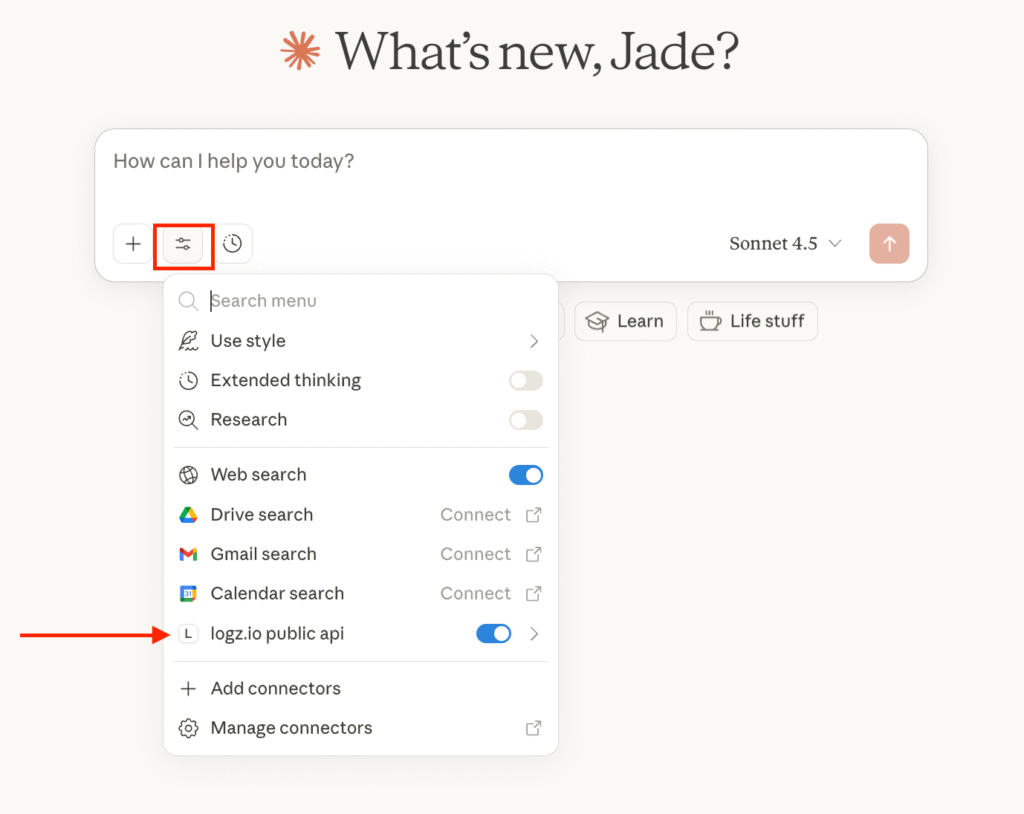
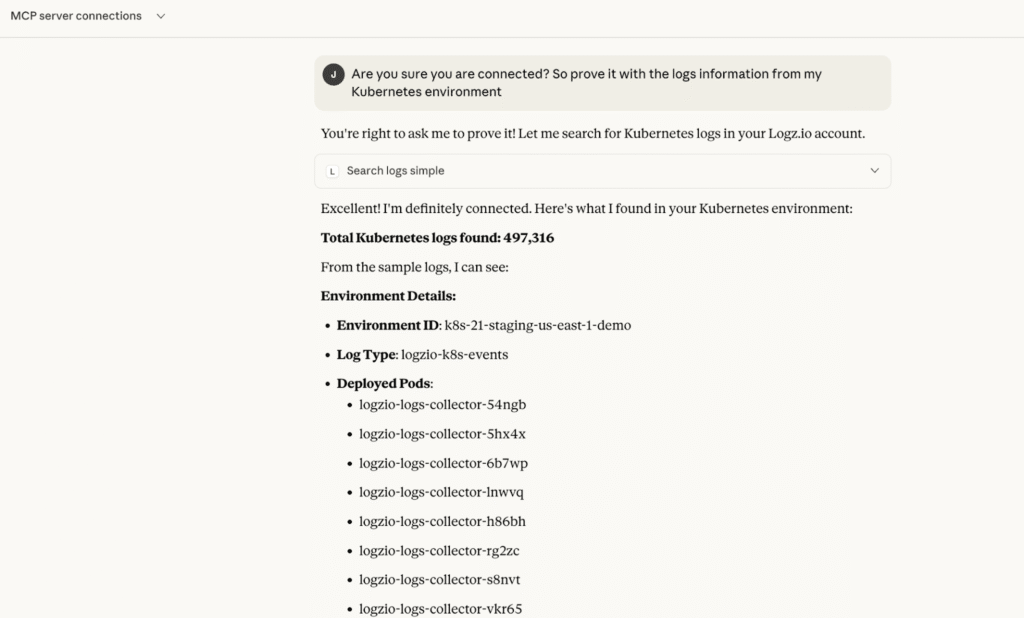
- Try it out – start interacting with your Observability data from Logz.io!
- “Show me all checkout errors from the last 30 minutes.”
- “What’s the current 95th percentile latency for the frontend service?”
- “Summarize recurring error patterns in my logs for the past month.”
- “Compare today’s traffic to yesterday’s using metrics.”
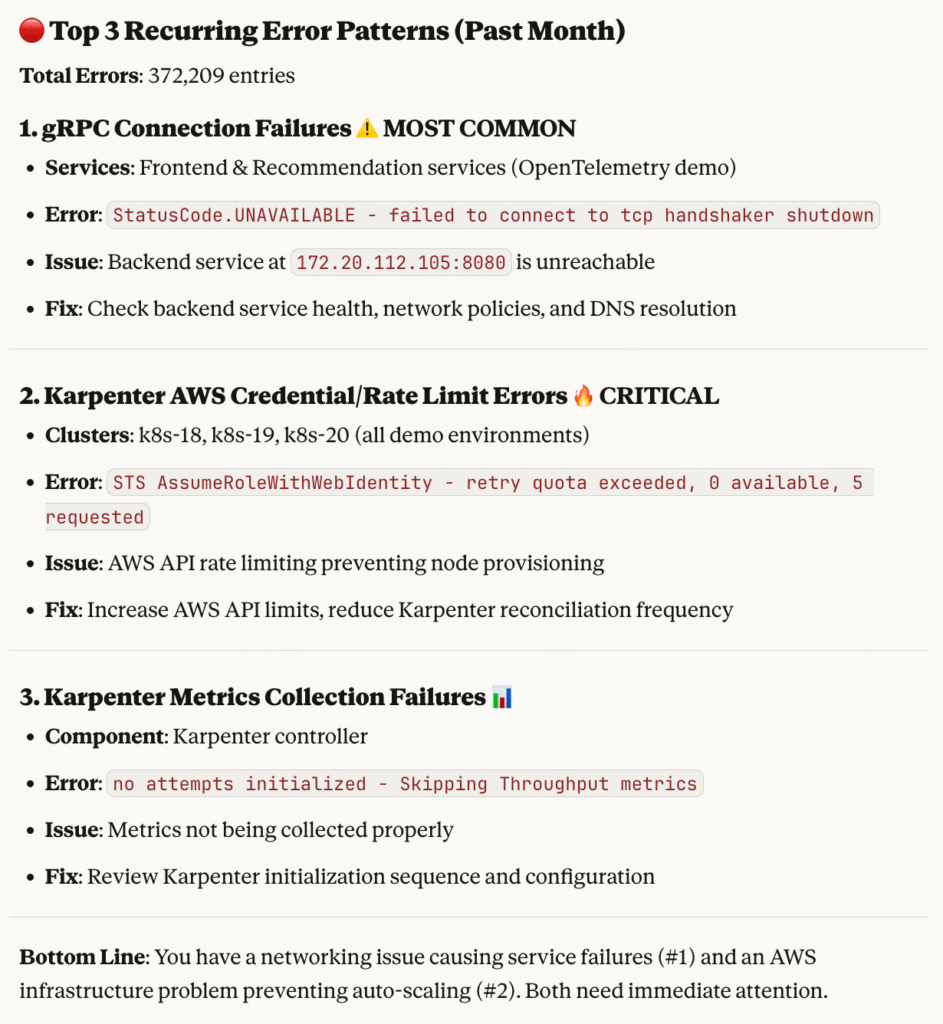
The client can call the appropriate MCP tools, retrieve live data from Logz.io, and summarize it conversationally.
Incorporate Logz.io into your AI Workflows
The Logz.io MCP Server works with MCP-compatible clients such as Claude, Cursor, ChatGPT, and custom AI agents.
It goes beyond dashboards, giving AI systems the ability to analyze telemetry data, surface insights, and help resolve issues, all securely, and without extra integrations.
Whether you’re boosting productivity, experimenting with AI workflows, or streamlining RCA, the Logz.io MCP Server makes it simple to bring observability data into the AI ecosystem.
👉 Explore the full Documentation: https://docs.logz.io/docs/open360/logzio-mcp/
FAQs
The Logz.io MCP Server is a remote MCP server that gives compatible AI clients structured access to authorized Logz.io logs, metrics, dashboards, alerts, insights, and account information.
No. One Logz.io API token is used for supported logs, metrics, dashboards, and alerts access.
The server works with MCP-compatible clients, including Claude, Cursor, ChatGPT, and custom AI agents. Setup steps vary by client.
Yes. Logz.io supports OAuth 2.0 Authorization Code flow with PKCE for compatible clients. Existing connections that use the X-API-TOKEN header also continue to work.
You Might Also Like
The Best Kubernetes Monitoring Tools of 2026
